Intelligently Identify, Prioritize and Remediate System Vulnerabilities Across Diverse IT Environments
Most vulnerability management solutions do little to help security leaders put vulnerability and risk information in the context of business. Saddled with volumes of rigid data and static reports, the security team is left to manually discern real threats and determine how to act upon them. At BeyondTrust, we believe that security professionals deserve more from their vulnerability management solutions. That’s why we deliver vulnerability data in the proper context.
Retina CS: The Context-Aware Vulnerability Management Solution
BeyondTrust Retina CS is the only vulnerability management solution designed from the ground up to provide organizations with context-aware vulnerability assessment and risk analysis. Retina’s results-driven architecture works with users to proactively identify security exposures, analyze business impact, and plan and conduct remediation across network, web, mobile, cloud, virtual, and IoT infrastructure.
Discover network, web, mobile, cloud, virtual, and IoT infrastructure
Profile asset configuration and risk potential
Pinpoint vulnerabilities, malware and attacks
Analyze threat potential, return on remediation and more
Isolate high-risk assets through advanced threat analytics
Remediate vulnerabilities through integrated patch management
Report on vulnerabilities, compliance, benchmarks, etc
Protect endpoints against client-side attacks
Make more informed privilege decisions
Key Capabilities for Retina CS
ZERO-GAP COVERAGE
Able to discover and assess any IT resource, Retina CS offers zero-gap coverage of the largest, most diverse IT environments. Agentless and agent-based scanning protects both online and offline assets.
UNMATCHED REPORTING
With the most powerful reporting capabilities in its class, Retina CS makes it easy to make smarter decisions, communicate risk, and report remediation progress to executives and compliance auditors.
ADVANCED THREAT ANALYTICS
With BeyondInsight Clarity, Retina CSdiscovers data breach threats typically missed by other vulnerability solutions. Clarity pinpoints specific, high-risk users and assets by correlating privilege, vulnerability and threat data from a variety of BeyondTrust and third-party solutions.
AUTOMATED CREDENTIALED SCANS
Together with BeyondTrust PowerBroker Password Safe, Retina CS provides a secure and automated solution for performing authenticated scans with continuously rotating privileged credentials.
EXTENSIVE COVERAGE COMPLIANCE
Reporting for COBIT, GLBA, HIPAA, HITRUST, ISO, ITIL, NERC-FERC, NIST, PCI, SOX, and many more government & industry regulations.
MAKE BETTER PRIVILEGE DECISIONS
Automatically scan applications at run time to better inform IT and security teams on privileged access, enforce quarantine, reduce application privileges, or prevent the launch of applications.
UNMATCHED REPORTING & ANALYTICS
Results-Driven Architecture: Tailor scans to specific reporting and compliance requirements.
Advanced Threat Analytics: Detect critical threats thru volumes of data.
Resource Planning Run: what-if scenarios and team capacity analyses to plan resource allocation.
270+ Actionable Reports: Communicate with technical and non-technical audiences.
Compliance Reporting: COBIT, GLBA, HIPAA, HITRUST, ISO-27002, ITIL, MASS 201, NERC-FERC, NIST, PCI, SOX and more.
Advanced Threat Intelligence: Based on asset scoring, security research, exploit databases, exploitability, NSRL, CVSS v3, CWE, and more.
Trends, Deltas and Heat Maps: Share progress with executives, compliance auditors and others.
Configuration Benchmarking: DISA Gold Disk, SCAP, NIST, FDCC, USGCB, CIS, Microsoft®, and in-house policies; CIS Security Benchmark certified (optional).
SLA Compliance Reports:Measure threat severity level against dynamic asset groupings.
Integrated Data Warehouse: Analyze historical data over time.
Role-Based Access: Provide permissioned access to view, assess and report on data.
Effortless Updates and Upgrades: Expand capabilities via license updates.
ZERO-GAP COVERAGE
Vulnerability Assessment: Flag vulnerabilities, attacks, and malware by asset for a complete view of risk.
Comprehensive Discovery: Locate network (local and remote), web, mobile, cloud, virtual and IoT assets.
Asset Profiling: Gather information including IP, DNS, OS, MAC address, ports, services, software, processes, hardware, event logs and more.
Asset Smart Groups: Group, assess, and report on assets by IP range, naming convention, OS, domain, applications, business function and more.
Asset Context Awareness: Evaluate risk based on damage potential or target distribution, plus confidentiality, integrity and availability requirements.
Smart Credentials:Automatically scan targets using the highest privilege level.
Asset Risk Analysis: Compare asset risk levels with custom Threat Risk and Exposure Risk scoring.
Nessus® is deployed by millions of users worldwide to identify vulnerabilities, policy-violating configurations and malware that attackers use to penetrate your or your customer's network.
24,000 organizations can’t be wrong.
KEY FEATURES
Easy to Use
Policy creation is simple and only requires a few clicks to scan an entire network
Comprehensive Detection
The Nessus scanner covers more technologies and identifies more vulnerabilities, providing a higher detection rate than competing solutions
Low Total Cost of Ownership (TCO)
Complete vulnerability scanning solution with unlimited scans against unlimited IPs for one low cost
Fast & Accurate
High-speed accurate scanning with low false positives lets you quickly identify those vulnerabilities that need fixing first
Timely Protection
Tenable researchers leverage extensive intelligence sources – providing plug-ins that deliver timely response for the latest vulnerabilities and threats
Accommodate Growth
Easily move to Tenable.io – with tools that speed migration – as vulnerability management needs increase.
Fing, the top ranking, completely free and super-fast network scanner,
that’s used by millions of homes and professionals around the world.
Discover
which devices are connected to any Wi-Fi network, map devices, detect
intruders, assess network security risks, troubleshoot network problems
and achieve best network performance, with the world’s most popular
network toolkit.
With more than a dozen free network tools
including; Wi-Fi scanner, port scanner, DNS lookup, ping and service
monitoring – Fing is a must-have network utility.
Fing network utilities include: + Wi-Fi/LAN scanner: discover all devices connected to any network + Full device details including IP address, MAC address, Device Name, Vendor, Device Manufacturer and more + Advanced analysis of NetBIOS, UPNP and Bonjour names, properties and device types + Inventory of devices and networks + Internet connectivity checker + ISP analysis and location + Subnet scanner + Port scanner: TCP port scanning that automatically finds open ports and available services + Ping and traceroute: for network quality measurement + WOL: remotely wake up devices + DNS Lookup and reverse DNS lookup + Connect to ports (Browser, SSH, FTP) + Network intruder detection + Network monitoring: device online and offline tracking + Supports device identification by IP address for bridged networks
Together with its add-on Fingbox hardware, you may also: + Block devices and pause Internet connection + Analyze the usage of bandwidth + Find the Wi-Fi Sweet Spot + Verify your Internet Speed + Troubleshoot your Internet connection + Monitor the Digital Presence on your network + Protect your network with a wireless Digital Fence that continuously watches over Wi-Fi devices around you.
TunnelBear might have something of a cutesy design, but it's a serious free VPN. There are free and paid-for subscriptions to choose from. The only restriction with the free plan is that you are limited to 500MB of traffic each month.
This isn't a huge amount, so you won’t be able to use TunnelBear all of the time without paying, but it's great for those times when you feel like you need a little extra protection.
It’s also interesting to note that TunnelBear recently tuned up its privacy policy, so the VPN now collects even less data on users – removing the need to supply a first name to sign up, and ditching its record of the user’s number of total lifetime connections.
TunnelBear offers a range of paid-for plans that remove the restrictions associated with the free plan, like the download limit, the numbers of countries available and the amount of connected devices.
Techradar has secured an exclusive deal from TunnelBear that gives you all this for as little as $4.99 per month, that's a whopping 58% saving.
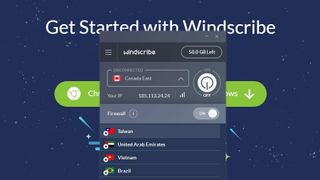
Windscribe is a relative newcomer to the free VPN download scene, but its generous data allowance and commitment to protecting your privacy make it the best around. The free service gives you 10GB bandwidth per month as standard, and lets you choose from eight remote server locations.
You only need to create a username and password to sign up (an email address is optional, but might prove handy if you forget your password). Windscribe doesn’t store connection logs, IP stamps, or visited sites; when you’re actively connected to a server it stores your username, the VPN server you’re connected to and the amount of data transferred, but this is erased within three minutes of the session ending.
Tweeting about the service will earn you an extra 5GB, and you’ll get 1GB each time you invite a friend to join. As an added perk, if anyone you’ve referred decides to upgrade to a Pro subscription (starting at US$7.50 per month billed annually), you’ll get the unlimited plan as well and far more servers (47 in total).
If that isn’t enough to tempt you, there’s even a built-in adblocker and firewall. Give it a try today – we think you’ll be impressed. Note that there is an Android app which was recently released, albeit in an unfinished state at the time of writing.
Exclusively for TechRadar readers, Windscribe is offering an annual subscription to its Pro service for only $29. Click here or use Promo Code WSRADAR1at checkout.
Hotspot Shield Free is extremely easy to use, and offers a generous data allowance
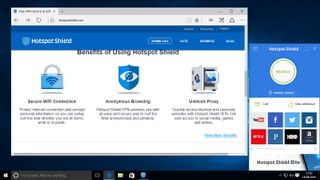
Hotspot Shield Free is one of the better known names in this roundup, and another of the best free VPNs you can download today.
You can choose to anchor yourself to one of 25 countries if you pay for the Elite version of the app, and this should enable you to access just about anything you want; in the free version, you're limited to locations that Hotspot Shield chooses for you.
Those on the free plan can protect up to five devices simultaneously, and are limited to 500MB of data per day, which isn’t a massive amount, but will suffice for very light or occasional usage.
Note: Hotspot Shield’s free VPN offering has recently come under fire from the Center for Democracy & Technology, a pro-privacy non-profit organisation. The CDT has claimed that this provider intercepts and redirects traffic to partner websites which include online advertising firms. Hotspot Shield has denied these allegations and said that it was “dismayed that the CDT did not contact us to discuss their concerns”. Check here for the full lowdown on this controversy.
The latest we’ve heard is a clarification which comes via Ars Technica, in which a spokesman for Hotspot Shield noted: “The free version of our Hotspot Shield solution openly and clearly states that it is funded by ads, however, we intercept no traffic with neither the free nor the premium version of our solutions. Our users’ online privacy has always been our absolute priority.”
Speedify, as the name suggests, has one main aim as a VPN provider: to ensure that while you benefit from encryption, your internet connection remains as speedy as possible.
To that end, the service will make use of all available internet connections to get the best possible performance, potentially combining, say, an Ethernet connection (fixed broadband) with a tethered mobile 3G/4G connection. Even if you only have one type of internet connection, the firm claims its turbocharging technology will still help speed things up.
The free plan boasts full access to those servers (just as with the subscription options), the only restriction of the free offering being that you’re limited in the amount of data you can download.
Free users get 4GB of data for the first month, but that drops to 1GB during subsequent months. That’s not a huge allowance, and certainly not as much as some other rivals you’ll see elsewhere on this page, but it’s more than some, and still enough for covering some basic surfing and email duties.
And this VPN provider is definitely worth a look on the performance front, as during our testing, the aforementioned speed-granting technologies did actually prove themselves to have a positive effect.
ProtonVPN is another provider that offers a free and paid VPN service, but the former has some very strong points, the most notable of which is that it doesn’t impose any bandwidth restrictions. In other words, you’re free to use as much data as you want every month.
There are, naturally enough, limitations for the free plan to incentivize upgrading to the paid offering. And ProtonVPN Free’s restrictions include limiting you to only one device, only three locations, and free users get a lower priority when it comes to speed compared to paying subscribers. There’s no P2P support either.
But if you can live with that, this is an impressive provider with a strict no logging policy, and you can sign up with nothing more than your email address. There aren’t even any ads on the website, let alone the client.
Speaking of clients, there are a good range of these – with native software for Windows, Mac, Linux, iOS, plus Android – and we found performance levels were pretty solid too. However, speeds may drop at peak times when lots of users are around and paying folks get priority; at which point you may be tempted to upgrade to a paid plan.
But clearly, with its unlimited data allowance, this is one freebie which is well worth considering.
Hide.me offers both paid and free VPN services, with the latter giving you 2GB of data per month to play with. There are other limits too: you can only connect a maximum of one device, and are limited to three server locations (Singapore, Canada, and Netherlands) rather than the 30 locations paying subscribers get.
On the plus side, however, this provider won’t throttle the connection speed of free users, and Hide.me further promises that it keeps no logs and stores no user data, so won’t pass on any data to third-parties in order to try and make a profit (simply because it doesn’t have any data to pass on). There are no adverts here, either.
You get native software for Windows and Mac, Android and iOS, with the Windows client being smartly designed, plus there’s 24/7 technical support (which is in place even for free users). Performance was impressive in our testing, too.
Overall, then, this is a more-than-solid free offering which tries to maintain your privacy, without too many restrictions.
SurfEasy is a Canadian-based VPN from the same organization responsible for the Opera web browser, and indeed it’s the service which is bundled within Opera as an integrated free VPN.
There are both paid and free offerings, with the latter not restricting the amount of devices you can use – free users can hook up a maximum of five devices simultaneously, just like paid subscribers.
You also get 1,000 servers across 25 countries, and a very user-friendly Windows client. Performance is solid enough, although we found that some longer distance trips to more remote servers (i.e. the US) could be rather sluggish.
The main restriction here is a monthly data limit of 500MB, which means you won’t get very much mileage out of this VPN on a free basis, and it’s really for very light or occasional use only (or testing the service if you’re looking at signing up for a paid plan).
It’s important to note, though, that if you’re using the Opera browser with its integrated VPN, there’s no data limit here (at least for protecting your browsing activities). Which could be a compelling argument to switch from the likes of Chrome or Firefox…
Like some of the other tools featured in this roundup, PrivateTunnel is available for a number of platforms – specifically Windows, Mac, Android and iOS. Another characteristic shared with many of its contemporaries is the existence of a limited, free package in addition to paid-for subscriptions. Well, sort of. Rather than offering a traditional monthly subscription package, you are instead provided with 200MB of non-expiring data to use as you want.
When this runs out, you can purchase more data in bundles of 20GB or 100GB. If you feel that you'd like to use PrivateTunnel all the time, you can opt for a $30 per year package which give you unlimited data – see the 200MB as something of a taster session to see if you like everything.
As a VPN, PrivateTunnel works fairly well, although connections can be a little temperamental at times. It's all very easy to use, so there's little reason not to take it for a test drive.
The last 12 months have witnessed the rise of global threats to individual privacy with long maintained rights to anonymity and net neutrality being undermined with a cloak of legitimacy.
While VPN - virtual private networks - are not the panacea to being safe, secure and private on the internet, it is an essential component of the arsenal for individuals inclined to seek these liberties.
If you don’t have a VPN service yet, you can grab one for free, without having to pay a single penny for one. Just be careful though as not all free VPN services are created equal and some might even compromise your security.
Here are five questions you need to ask yourself before you download and install one.
1. What is its business model? VPN providers are in for the money and running such a service does cost a lot especially if it is a popular one. Some, like Tunnelbear, will use free, just like Dropbox, as a marketing tool to entice potential customers to move to a paid version once they are happy with the free one. Most however will sell user data or provide a service to third party that will, again, compromise your privacy.
2. How does it protect my PC? Most VPN services usually use a desktop application that runs in the background encrypting your data while you surf the web. However, that’s only solves part of the problem. Your laptop can still be fingerprinted because of the permissiveness of tracking solutions that can be found on almost all websites online. A few, including WIndscribe, have a more holistic approach by integrating the equivalent of a super ad-blocker
3. What do I lose by going free? Usually one can expect a free product to have some corners cut and that is indeed the case for all VPN providers. Some offer more free bandwidth than others, major locations and even ad blocking, P2P and firewall with an easy paid for upgrade path that unlocks unlimited bandwidth with more locations and OpenVPN Configs.
4. Does your provider log anything? Make sure that your provider doesn’t store users’ internet activity. You can usually check that in the terms and conditions page or the end user license agreement, commonly known as EULA. Sadly, a lot of VPN providers prefer to frustrate end users with long T&Cs or privacy statements that often hide significant details about how they operate. On the other end of the spectrum are VPN services that will erase everything after your session closes and don’t keep logs.
5. Can I sign up completely anonymously? Having a VPN provider that you can subscribe to without an email address and one that accepts Bitcoin payments, for maximum privacy, is pretty much the best you can expect online. Some services also offer double hopping where you can obfuscate your traffic further by essentially doubling down on privacy.