Showing posts with label media converter. Show all posts

Sunday, April 22, 2012

HJSplit

HJSplit is a popular freeware program to split and recombine files. The program is available on Windows, Linux and a variety of other platforms.
Why should one want to split and recombine files? For instance, think of a file of 50 Mb, and try to send it to a friend, post it in a newsgroup or upload it to a Website or FTP server. It is usually easier to send/receive, upload/download smaller parts than handle the entire file in one go.
HJSplit can also be useful for backups. A file of e.g. 10 gigabytes in size can be split into smaller parts which then can be burned to CD's, DVDs, copied to USB sticks or uploaded to an online backup service.
HJSplit for Windows and Linux support file sizes of over 100 Gigabytes, MD5 checksums, file-compare, "run without install" and both editions are fully portable.


                                                                         DOWNLOAD

Monday, July 25, 2011

VideoCacheView 1.95


After watching a video in a Web site, you may want to save the video file into your local disk for playing it offline in the future. If the video file is stored in your browser's cache, this utility can help you to extract the video file from the cache and save it for watching it in the future.
It automatically scans the entire cache of Internet Explorer and Mozilla-based Web browsers (Including Firefox) and finds all video files that are currently stored in it. It allows you to easily copy the cached video files into another folder for playing/watching them in the future. If you have a movie player that is configured to play flv files, it also allows you to play the video directly from your browser's cache.

Tuesday, February 15, 2011

Ipod Computer transfer

Transfer files from your iPod to computer, computer to iPod, even iPod to iTunes, with ImTOO iPod Computer Transfer you can copy and backup music, videos, and photos between them. Photos and videos recorded by the device are also supported.
ImTOO iPod Computer Transfer also allows you to connect several iPods and other iOS devices and manage them simultaneously, transfer files from iPod to iPod, iPod to iPhone and vice versa. It even offers you the ability to manage your iPhone as a portable hard disk. ImTOO iPod Computer Transfer supports all iPod, iPhone models and generations and iTunes versions.

Main Functions

  • iPod to computer transferiPod to Computer Transfer
    Transfer files between iPod and computer; sync, copy or backup files on iTunes 10.
  • iPod to iTunes transferiPod to iTunes Transfer
    Transfer music, videos and other multimedia files from iPod to iTunes or hard drive for backup.
  • iPod to iPod transferiPod to iPod Transfer
    Connect several iPods without conflict or slowing down your computer; copy and share files between them without overwriting each other's information.
  • iPod to iPod transferManage iPod on Any Computer
    Manage your iPod files on any computer with ImTOO iPod Computer Transfer installed on your iPod.

What's new

  • Support multiple iOS devices simultaneously.
  • Read and export pictures and videos recorded by the device.
  • Resume playing of the transferred videos on the device.
  • Directly preview the device’s videos, music and other files less than 8MB on the computer.

Key Features

  • Supports all generations and versions of iPod, iPhone and any version of iTunes.
  • Use iPhone as a portable hard disk to import/export files and contents to/from computer.
  • Connect several iOS devices and transfer files between them simultaneously.
  • Manage iPod on any computer with ImTOO iPod Computer Transfer installed on iPod.
  • Create, deleted and edit photo albums to organize your iPod photos conveniently.
  • Read and export videos/photos shot by the device conveniently.
  • Share one photo with multiple albums for your different needs.
  • Search and filter through files easily.
  • Displays device properties such as model, capacity, version, serial number and the like.
  • View files either as thumbnails (for album artworks) or as a list (for easy organizing).
  • Select from French, German, Japanese, Chinese or English language interface.

    Monday, February 7, 2011

    Copytrans Suite

    Your iTunes library is empty, but your music is still on your iPod? Do not connect your iPod to iTunes without an iPod backup and risk an unwanted synchronization and deletion!
    Copy iPod to computer and safely recover iPhone or iPod library.
    CopyTrans transfers: music, videos, podcasts, audiobooks, smart playlists, artworks, ratings, playcounts, date added and many more!
    Backup iPod to PC and iPhone to iTunes the correct way!
    iphone to pc
                                                                              DOWNLOAD

    Friday, January 28, 2011

    Any Video Converter


    Free Video Converter = MPEG Converter + AVI Converter + FLV Converter + YouTube Video Converter + MP4 Converter

    Free Video Converter with more than 65,000,000 happy users!

    Any Video Converter Freeware- the Free Video Converter - is the most renowned free video converter for converting video files between various formats, with fast converting speed and excellent video quality. This powerful free video converter application makes video conversion quick and easy.
    This FREE video converter software can clip any segments and optionally merge and sort them to make a creative movie. And even more, Any Video Converter Freeware can crop frame size to remove any unwanted area in the frame just like a pair of smart scissors. Additionally, it gives you the ability to burn videos to DVD-R/RW, DVD+R/RW disc . It also adds the MP4 Faststart option to play back mp4 video in the stream way.

    Thursday, January 20, 2011

    Spesoft Free CD Ripper

    A quality freeware application, aimed at providing easy, stable and fast CD copying to WMA, MP3, WAV, OGG, and FLAC audio formats.

    Easy to use - just click 'Rip'.

    High Speed Ripping - saves you time.

    Excellent output quality - enjoy your digital audio.

    Powerful yet easy-to-use software that allows you to extract audio tracks directly from your music CDs to computer files.

    Just insert your CD and click 'Rip' - it's that easy.

    Works on Windows 98, ME, 2000, XP, Vista and Windows 7.

    Automatically retrieves album information (for example, artist, genre, and track names) from FreeDB, a music information database on the Internet.

    CD Player - Easily play the whole CD, or one click to play or preview any track.

    Automatically downloads album artwork and lyrics after ripping.

    Cue file support. Create a single file with cue file.

    Now features MP3 Volume normalization.

    One of the few free applications to rip directly to FLAC format.


    DOWNLOAD

    Friday, July 31, 2009

    Nero 9 free


    Nero 9 - Free version

    Nero 9 Free Version

    What’s better than free? Free forever! Nero offers you the chance to enjoy Nero’s world-renowned
    data disc burning and copying features for an unlimited time, absolutely FREE!

    Enjoy basic data burning and copying capabilities for your CDs and DVDs from the world’s most
    trusted digital media brand, Nero.

    General system requirements

    • ­Windows® XP SP2 or SP3, Windows Vista®, Windows® 7, Windows® XP Media Center Edition 2005 with SP2
    • Windows® XP 64 bit, Windows Vista® 64 bit, and Windows® 7 64 bit versions are supported via 32 bit emulation mode.
    • Windows® Internet Explorer® 6.0 or higher.
    • 1 GHz Intel® Pentium® III or equivalent AMD and Intel® processor (2 GHz Intel® Pentium® 4 or equivalent AMD and Intel® processor for Windows Vista®), 256 MB RAM (512 MB RAM for Windows Vista®).
    • ~270MB hard drive space for a typical installation of all components.
    • ~500MB hard drive space temporary for the installation
    • CD or DVD recordable or rewritable drive for burning.
    • DirectX® 9.0c revision 30 (August 2006) or higher.
    • Up to 9 GB available hard drive space for DVD images and temporary DVD files.
    • Graphics card with at least 32 MB video memory, minimum resolution of 800 x 600 pixels, and 16-bit color settings (24-bit or 32-bit true color is recommended).
    • Installation of the latest WHQL certified device drivers is strongly recommended.
    • For the Nero Online services: Nero product registration, product updates, and other features an Internet connection is required.

    Optional Requirements

    • ­16-bit Microsoft® Windows® compatible sound device and speakers Installation of latest WHQL certified device drivers recommended.

    Thursday, January 29, 2009

    Cd Burner Xp


    What is CDBurnerXP?

    CDBurnerXP is a free application to burn CDs and DVDs, including Blu-Ray and HD-DVDs. It also includes the feature to burn and create ISOs, as well as a multilanguage interface. Everyone, even companies, can use it for free. It does not include adware or similar malicious components.

    Screenshot

    Key Features

    • burn all kinds of discs
    • audio-CDs with or without gaps between tracks
    • burn and create ISO files
    • data verification after burning process
    • create bootable discs
    • multi-language interface
    • bin/nrg → ISO converter, simple cover printing and much more!
    • Operating Systems: Windows 2000/XP/2003 Server/Vista

    Tuesday, January 13, 2009

    FormatFactory


    FormatFactory is a multifunctional media converter.
    Provides functions below:
    All to MP4/3GP/MPG/AVI/WMV/FLV/SWF.
    All to MP3/WMA/AMR/OGG/AAC/WAV.
    All to JPG/BMP/PNG/TIF/ICO/GIF/TGA.
    Rip DVD to video file , Rip Music CD to audio file.
    MP4 files support iPod/iPhone/PSP/BlackBerry format.
    Source files support RMVB.

    FormatFactory's Feature:
    1 support converting all popular video,audio,picture formats to others.
    2 Repair damaged video and audio file.
    3 Reducing Multimedia file size.
    4 Support iphone,ipod multimedia file formats.
    5 Picture converting supports Zoom,Rotate/Flip,tags.
    6 DVD Ripper.
    7 Supports 40 languages

    OS requirements: All 32 windows OS


    Friday, January 9, 2009

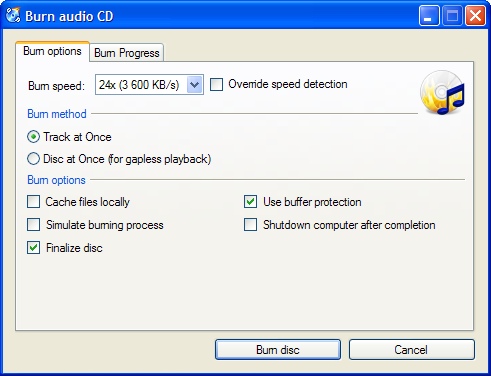
    Free Burn MP3 CD


    Want to burn your favorite MP3 or WMA music files to make custom audio CD? Free Burn MP3-CD is an easy-to-use audio CD burning tool. It can convert MP3, WMA, WAV & OGG files to audio CD, so that you can enjoy them on your home, car stereo or portable CD player. Download it and make custom CDs out of your MP3s in minutes with your CD-R/RW drive. Have fun with it!